
Contact management
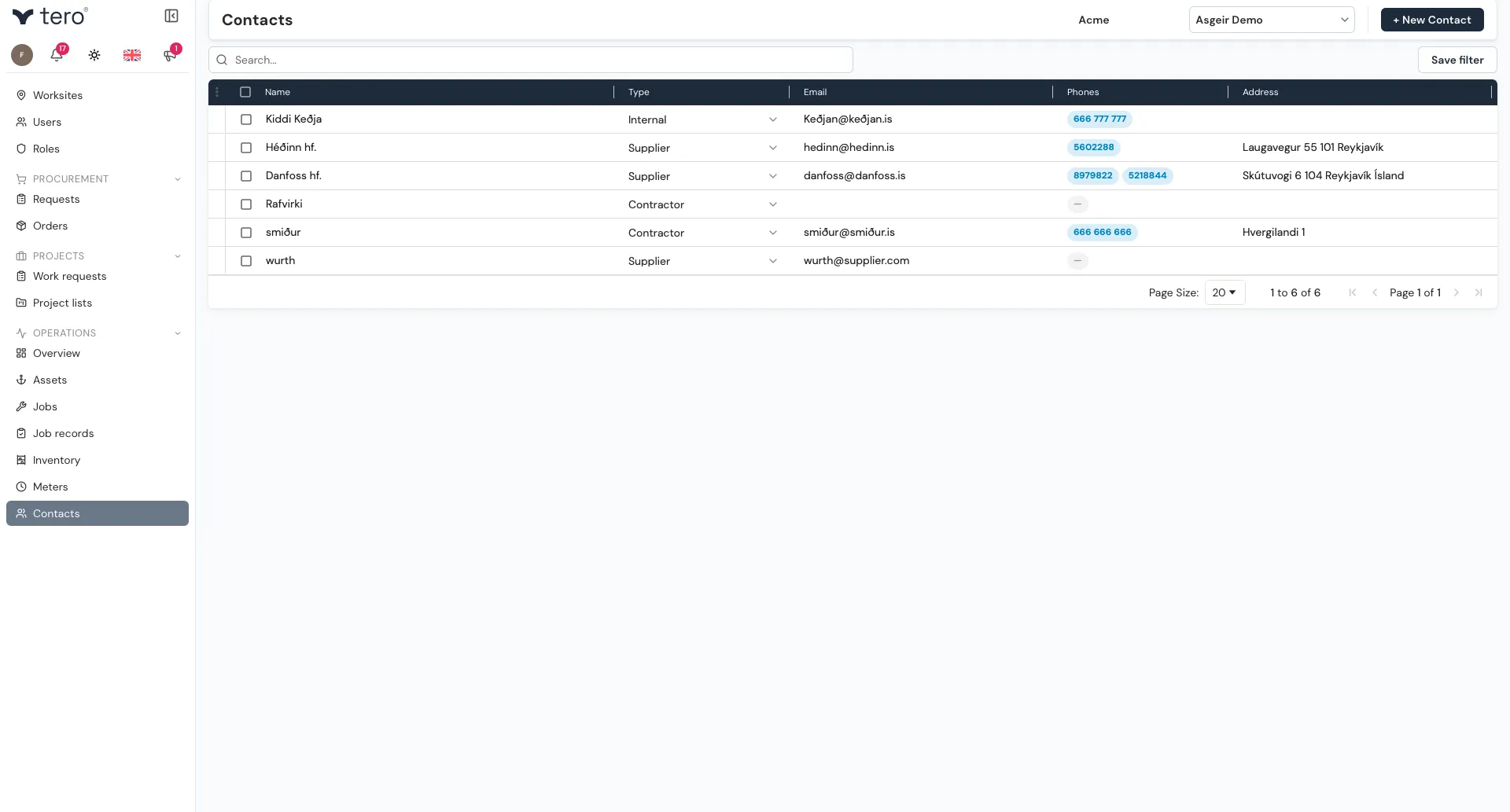
Contacts are people and companies you do business with — suppliers, manufacturers, contractors and internal people who aren’t Tero users themselves. They’re picked from your contact list on orders, inventory items, jobs, and work requests.
The contact list
Open Operations → Contacts. Use the search box to find a contact by name.
Adding a contact
Click + New Contact. Fill in:
- Name — person or company name (required)
- Type — Supplier, Manufacturer, Contractor, or Internal (required)
- Phones — you can add more than one
- Job title
- Address
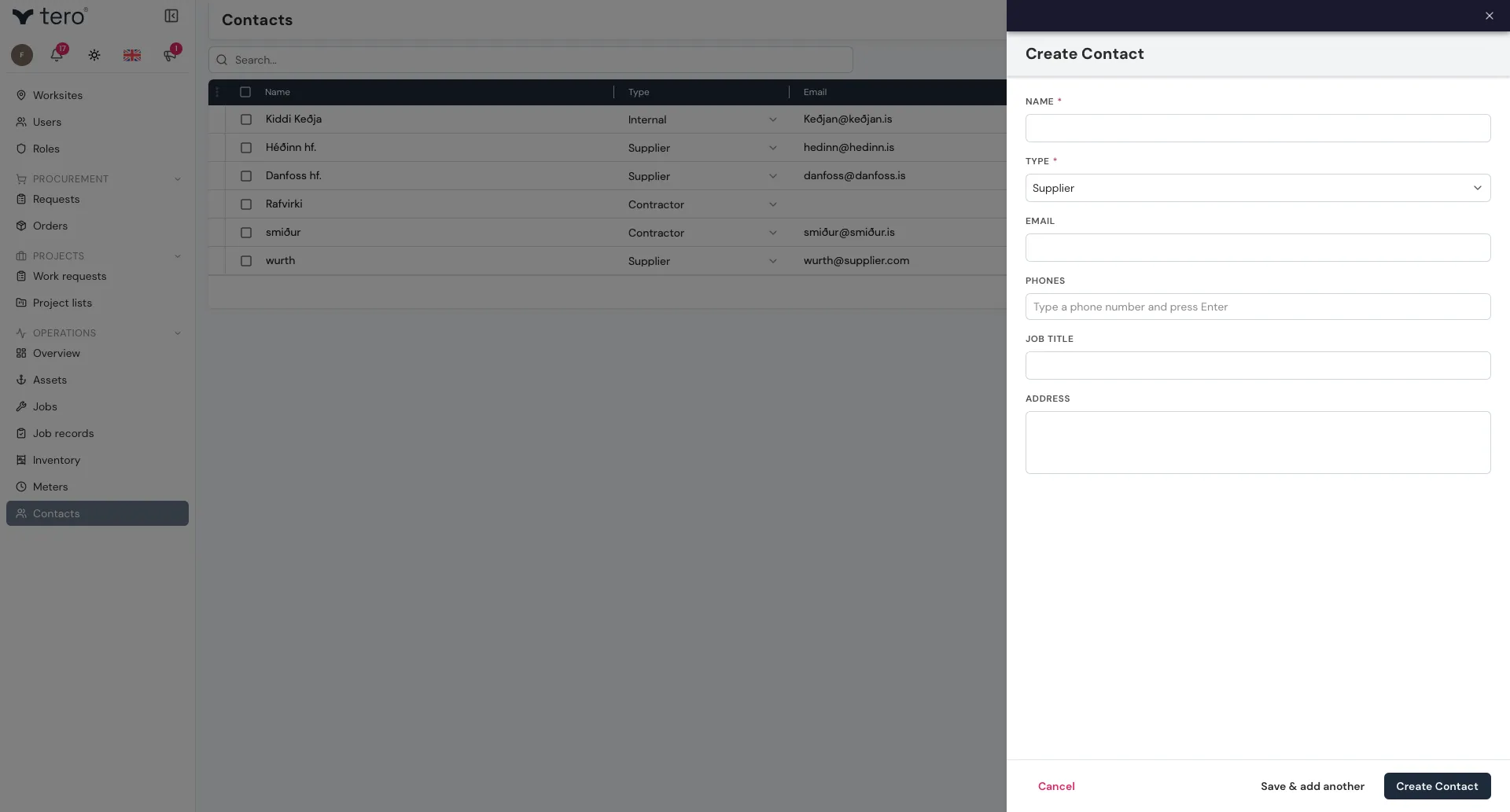
Click Create Contact, or Save & add another to add several in a row.
Where contacts are used
- Orders — the order’s Supplier. Tero emails the order to the supplier’s email address when you send it, so make sure supplier contacts have one. See Purchase orders.
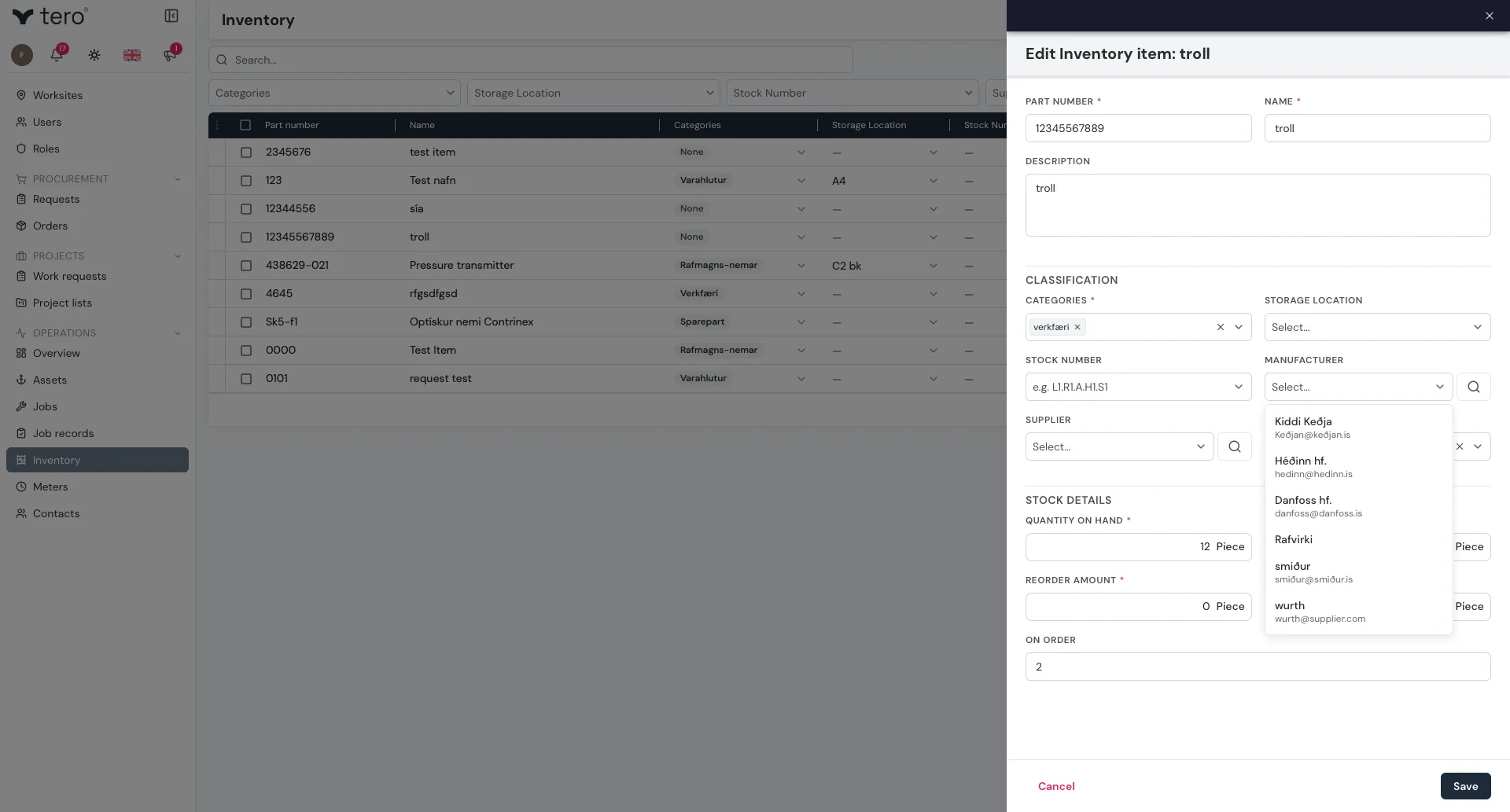
- Inventory items — the item’s Manufacturer and Supplier. See Items and stock levels.
- Jobs, work requests, and job templates — as Referenced contacts: outside parties involved in the work, such as a contractor or supplier. This is for context only; nothing is sent to them.
The pickers list all your contacts, whatever their type.
What a contact is referenced by
Open a contact to see the Tasks and Templates that list it as a referenced contact, so you can see at a glance which work involves them.