Asset hierarchy explained
Tero.Ops models the physical world as a tree. A vessel contains engines; an engine contains pumps; a pump contains seals. Every box at every level is an asset, and an asset nested under another is its sub-asset.
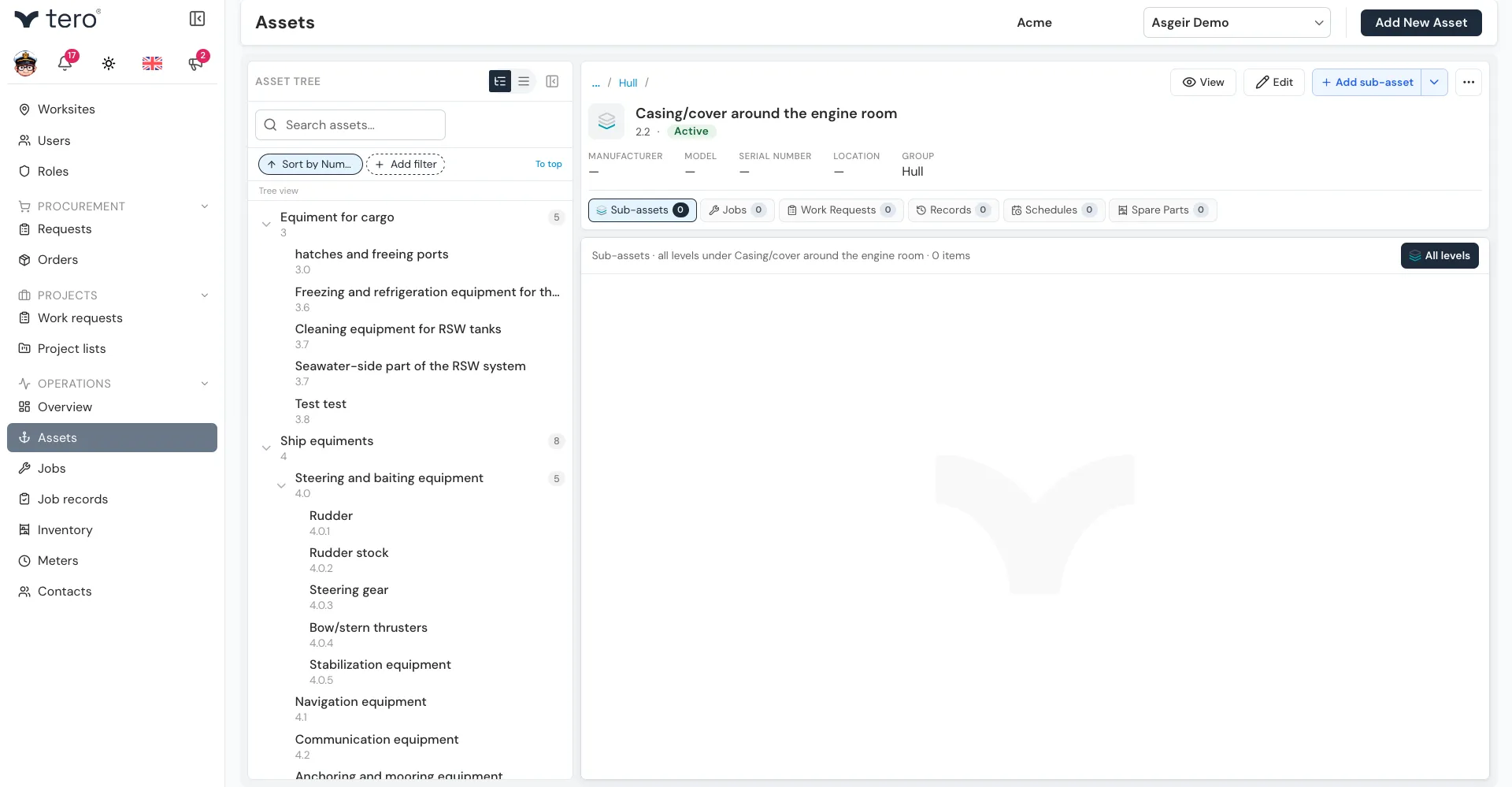
On the Assets page (under Operations in the sidebar), the tree is shown on the left. Click an asset in the tree to open it.
Building the tree
Each asset has a Parent field. Leave it empty for a top-level asset, or pick the asset it sits under.
To add a sub-asset directly, open the parent asset and use Add sub-asset: on the Sub-assets tab it’s the main add button; on any other tab, click the down arrow next to the add button and choose Add sub-asset.
Seeing work across levels
When you open an asset, its tabs — Sub-assets, Jobs, Work Requests, Records, Schedules, and Spare Parts — show only that asset by default. On the Sub-assets tab, that means only its direct children.
Turn on the All levels toggle above the list to include every sub-asset below it, at every level:
- Open the vessel with All levels on → see jobs, records, and so on for every system on board
- Open the engine with All levels on → see them for the engine and everything inside it
- Open the pump → see only the pump
Your choice is remembered the next time you open the Assets page.
A typical model
Vessel "Akurey"├── Engine room│ ├── Main engine│ │ ├── Cooling pump│ │ ├── Fuel injector — cylinder 1│ │ └── Fuel injector — cylinder 2│ └── Auxiliary generator├── Deck│ └── Winch — port└── Processing floor └── Filleting machineBest practices
- Model to the level you maintain. If you replace a whole pump rather than its individual seals, model at “pump” — don’t go deeper than you’ll ever touch.
- Use descriptive names. “Pump 1” is useless on a vessel with 14 pumps. “Cooling pump — main engine” is searchable.
- Standardise across vessels. If you have a fleet, use the same structure and names on each vessel so assets are easy to find wherever you look.