
Purchase orders
A purchase order (PO) is your request to a supplier to deliver specific items in specific quantities. Tero tracks the PO from creation through delivery, including partial deliveries.
The PO list
Open Procurement → Orders.
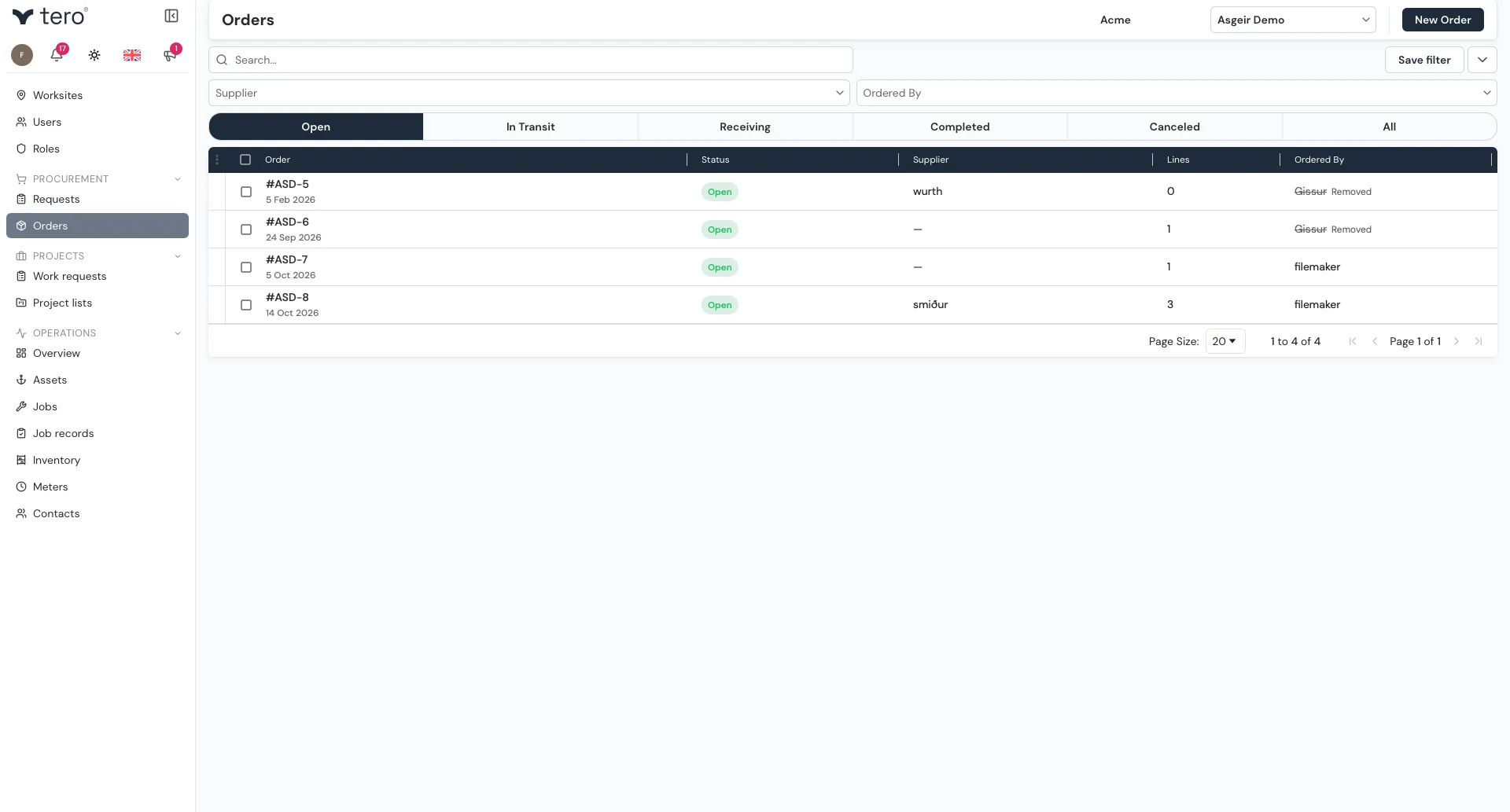
Each row shows the order, its status, supplier, number of lines, and who ordered it. The tabs at the top split the list into Open, In Transit, Receiving, Completed, Canceled, and All.
Creating a PO from requests
The items on an order come from inventory requests — each request on the order is one line. There are three ways to put requests on an order:
- From the Requests list — use Assign to order to add requests to an open order, or Create Order to start a new one from them. See Inventory requests.
- From the Inventory page — when raising a Purchase Request, turn on Create an order for these. See Requesting an inventory part.
- From the order itself — open the order and click Add Requests in its lines section.
Creating a PO from scratch
Click New Order. The form has:
- Order date, Status, Ordered by, and Supplier
- Shipping and billing — Bill to and Deliver to
- Notes
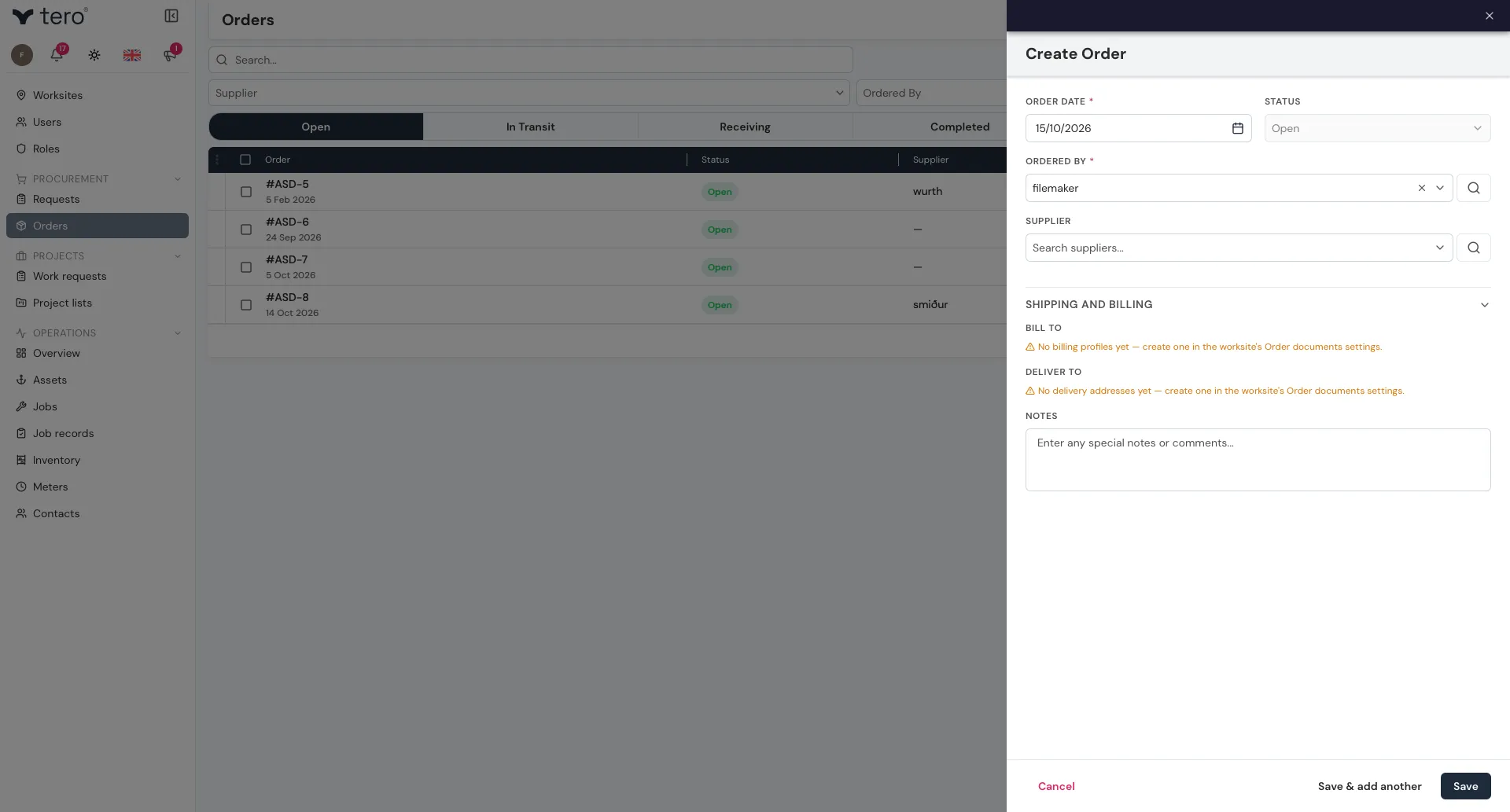
Save the order, then add its lines with Add Requests.
Sending to supplier
Click the paper-plane icon (Send to Supplier) on the order’s row or at the top of its side panel. Tero emails the order to the supplier and the status changes from Open to Sent to supplier. You can send it again later to resend it.
To send, the order needs a supplier with an email address, a Bill to, a Deliver to, and at least one line.
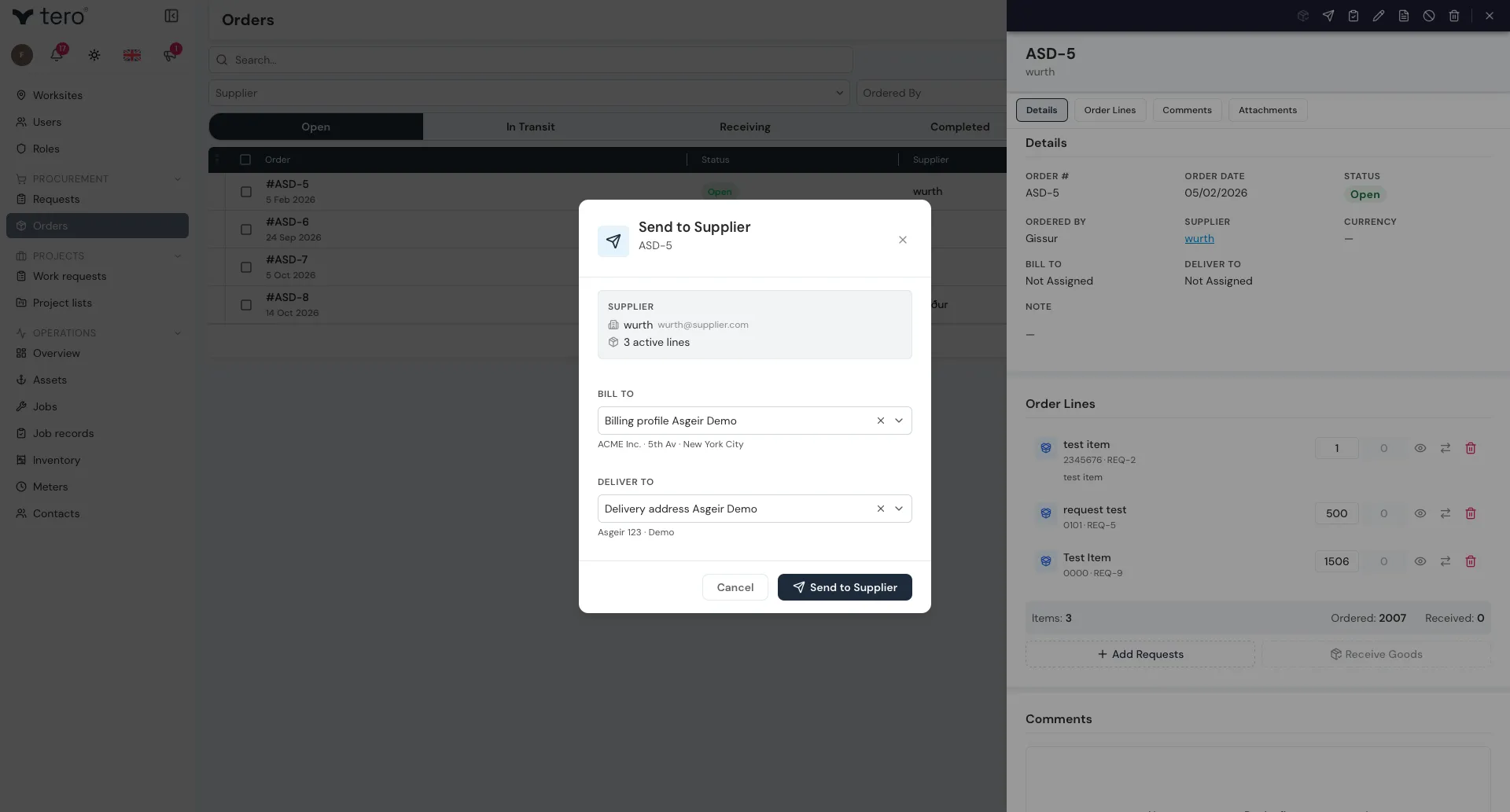
If you placed the order outside Tero — on a supplier portal, by phone, or in person — use Mark as Ordered instead (clipboard-with-a-check-mark icon). It marks the order as ordered without sending an email.
When the goods arrive, use Receive Goods — see Receiving stock.
Order statuses
| Status | Meaning |
|---|---|
| Open | Created but not yet sent to the supplier |
| Sent to supplier | Ordered from the supplier, awaiting delivery |
| Arrived at warehouse | The shipment has arrived but hasn’t been checked in yet |
| Partially received | Some lines received, more outstanding |
| Fully received | All lines received |
| Canceled | Order canceled |
An order that’s been sent can be put back to Open with Revert to Open (a curved back-arrow icon at the top of its side panel). To cancel an order, use Cancel order under the three vertical dots (⋮) at the start of its row.
Changing the status of several orders at once
You can update the status of many orders in one step:
- Open Procurement → Orders and tick the orders you want to update.
- Click the three vertical dots (⋮) in the list’s header row and choose Change Status.
- Pick the new status. It is applied to every selected order at once.
You need permission to update orders. If a status change doesn’t take effect, your role may not allow it — ask an administrator.