Requesting an inventory part
If you need a part that your worksite is low on or has run out of, submit an inventory request. Whoever handles procurement picks it up and adds it to an order.
Requests are always for an item that’s already in Inventory.
From the Inventory page
- In the sidebar, open Operations → Inventory and search for the part.
- Start the request in one of these ways:
- Click the three vertical dots (⋮) at the start of the item’s row and choose Purchase Request.
- Open the item and click the shopping cart icon at the top of its side panel.
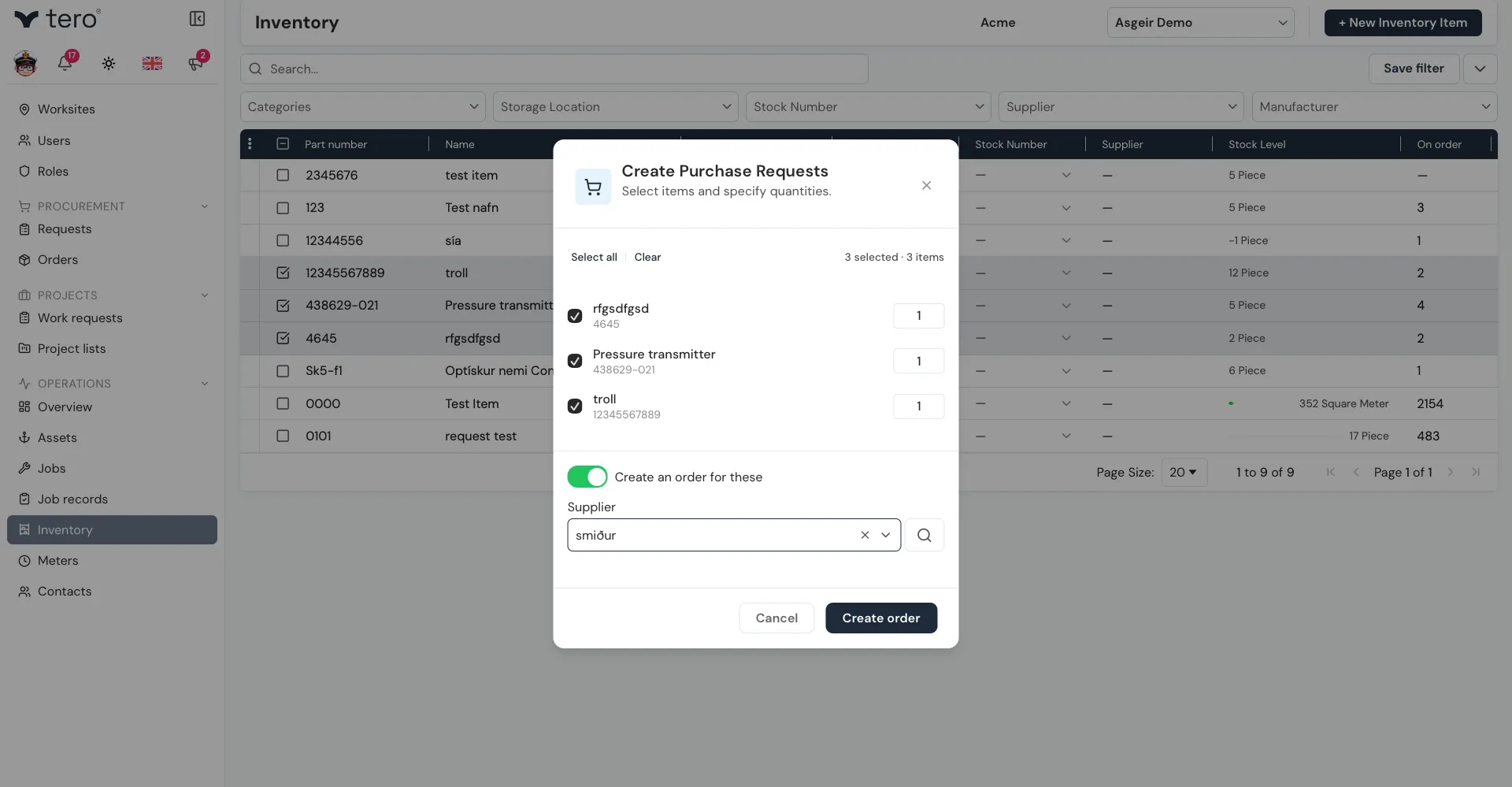
- To request several parts at once, tick their checkboxes, then click the three vertical dots (⋮) in the list’s header row and choose Purchase Request.
- In the Create Purchase Request dialog, set the quantity for each item.
- Click Submit 1 request (or Submit 3 requests, and so on).
If you’re allowed to create orders, the dialog also has a Create an order for these toggle. Turn it on to put the requests straight onto a new order, optionally choosing a Supplier, then click Create order.
From the Requests page
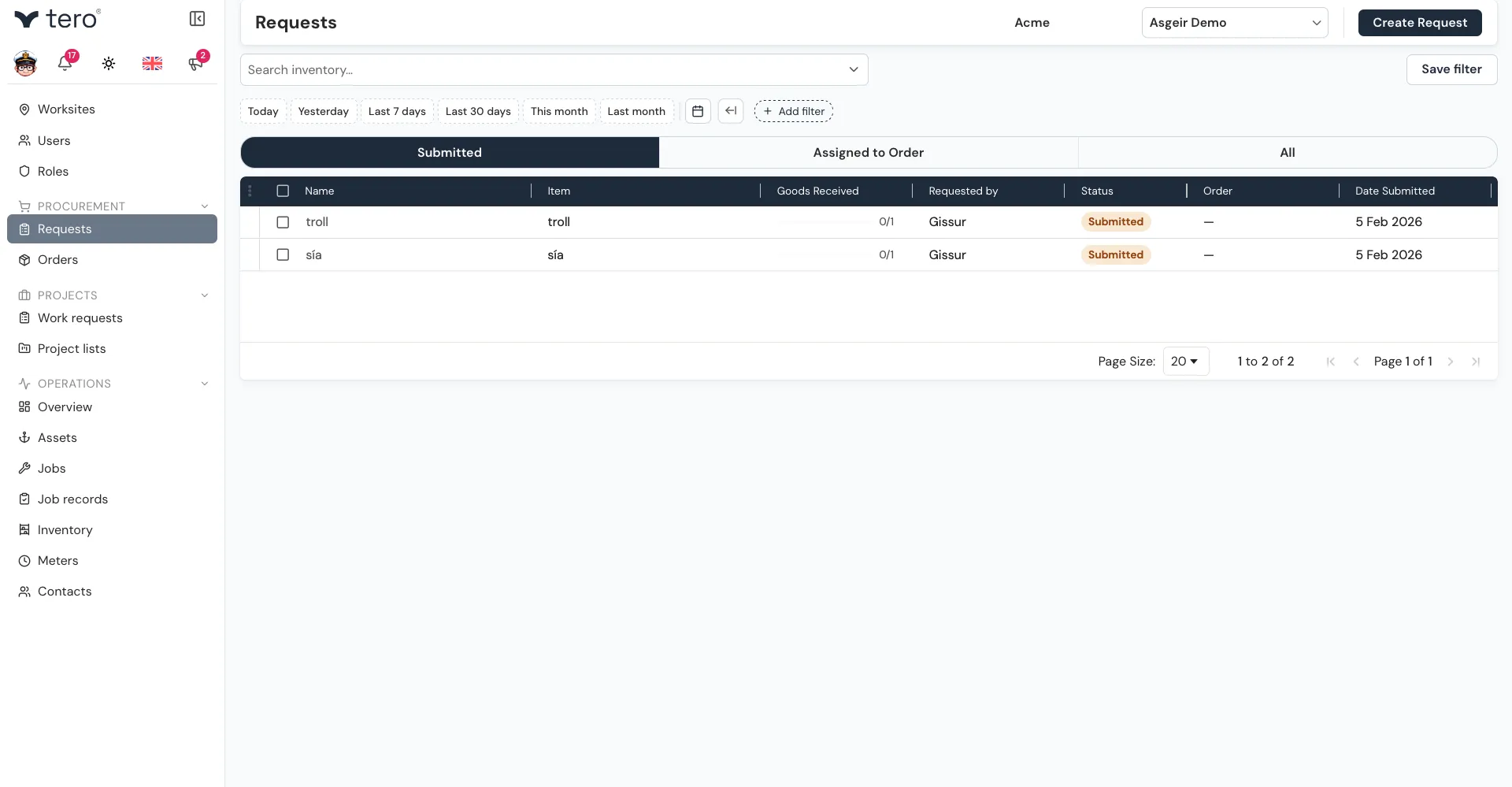
- In the sidebar, open Procurement → Requests and click Create Request.
- Click Add Item and pick the inventory item.
- Enter the Quantity.
- Add Notes for context: which job it’s for, how urgent it is, alternative parts that would work.
- Optionally, expand Attachments to add photos or documents.
- Click Submit request, or Save & add another to raise another one.
Where it goes from here
Your request appears on the Requests page with the status Submitted. Once procurement puts it on an order, its status changes to Assigned. The tabs at the top split the list into Submitted, Assigned to Order, and All.