Asset history
Every completed or cancelled job and work request on an asset is kept as a record. This is what makes Tero useful for compliance audits, root-cause analysis, and lifecycle costing.
The Records tab
Open the asset on the Assets page and go to its Records tab. It lists the asset’s completed and cancelled jobs and work requests, most recently completed first.
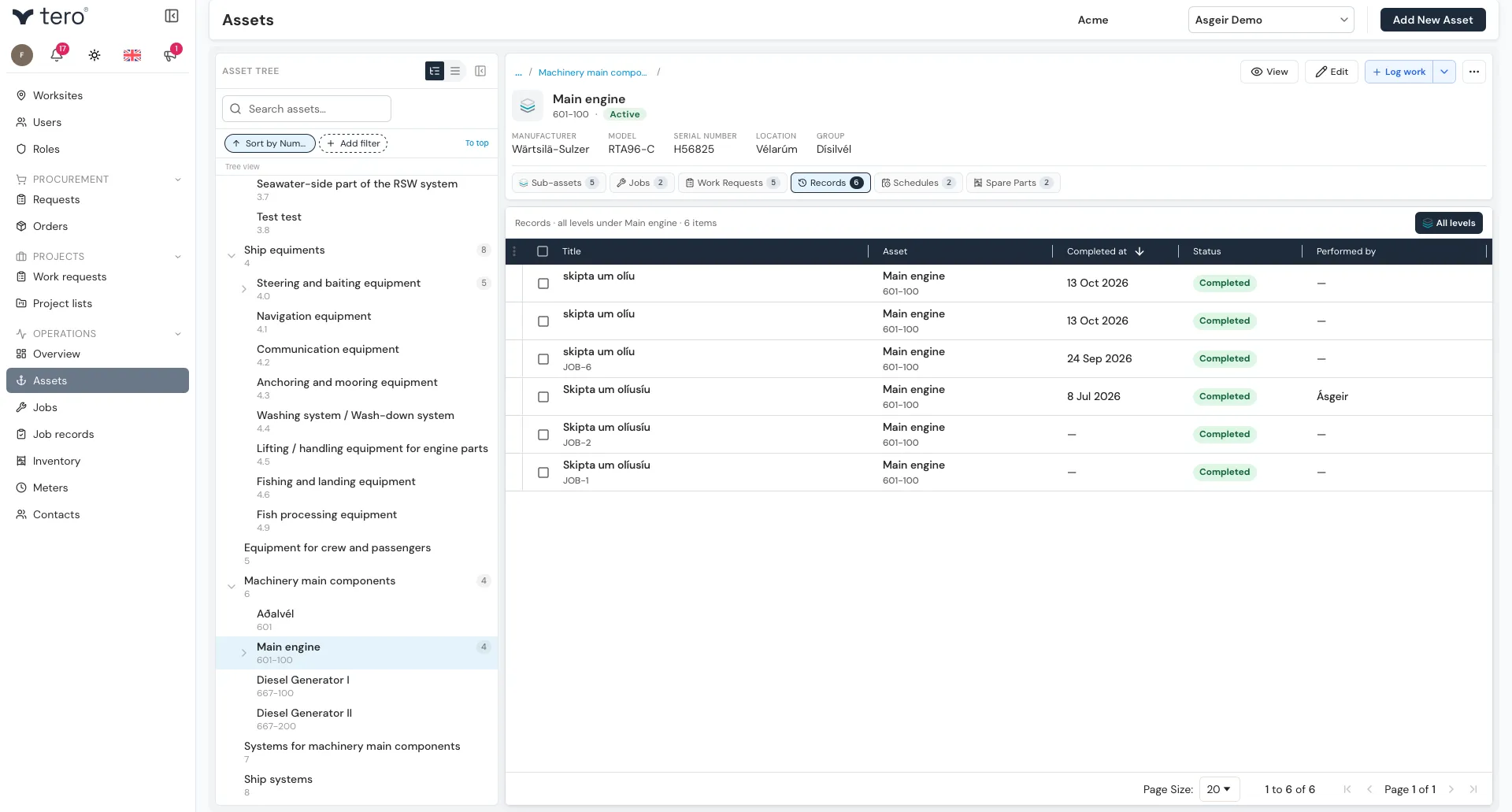
Each row shows the record’s title, asset, when it was completed, its status, and who performed it. Click a column header to sort by it, and click any row to open the record.
Turn on All levels to include the records of every sub-asset below this one as well — see Asset hierarchy explained.
Getting a record out as a PDF
To export a record, click the three vertical dots (⋮) at the start of its row and choose Export PDF. See PDF reports.